从安装到运行,一条龙走到底。
1. 前置 默认你们已经安装了 NodeJS 和 Composer。
php命令行版本:7.4.*
ThinkPHP:5.0.24
1.1. 下载安装 >表示执行命令
1
2
3
4
5
6
7
8
9
10
11
# 设置过国内镜像源的请忽略 > npm config set registry https://registry.npm.taobao.org # 安装过bower的请忽略 > npm i -g bower # 安装FastAdmin > git clone https://gitee.com/karson/fastadmin.git fa_test > cd fa_test> bower install > composer install
1.2. 运行访问 1 2 3 4 # 启动FastAdmin > php -S 127.0.0.1:8080 -t public # 出现如上所述,表示 php 内置 Server 启动成功
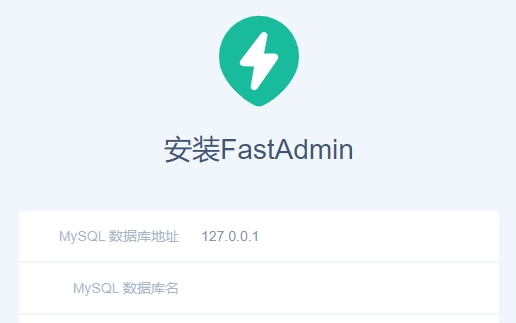
打开浏览器,访问http://127.0.0.1:8080出现安装页面。
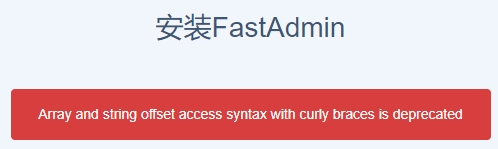
2. 安装 数据库,管理员信息填写完成,点击安装。出现如下所述。
php7.4开始不再支持使用花括号 {} 来访问数组和字符串成员。
出现问题就要解决,把 {} 改成 [] 就可以了。那么改那个文件呢?
引用一下我的开发三步走,后来人就可以站在前辈们铺好的路上了。
第一步,debug
2.1. 开启debug 编辑.env,改成如下内容。
1 2 3 4 5 6 7 8 9 10 11 [app] debug = true trace = true [database]
2.2. 找到错误位置 编辑application/admin/command/Install.php: 132-138行
1 2 3 4 5 6 7 8 try {$adminName = $this ->installation ($mysqlHostname , $mysqlHostport , $mysqlDatabase , $mysqlUsername , $mysqlPassword , $mysqlPrefix , $adminUsername , $adminPassword , $adminEmail , $siteName );catch (\PDOException $e ) {throw new Exception ($e ->getMessage ());catch (\Exception $e ) {\Log ::error ($e ); return $output (0 , $e ->getMessage ());
日志如下:
1 2 3 4 5 6 7 8 9 10 11 [ error ] think\exception\ErrorException ::__set_state (array ('severity' => 8192 ,'data' => array ('message' => 'Array and string offset access syntax with curly braces is deprecated' ,'string' => '' ,'code' => 0 ,'file' => 'thinkphp/library/think/db/Query.php' ,'line' => 400 ,
message和安装页的错误提示是一样的
错误位置是thinkphp/library/think/db/Query.php的400行。
找到就可以修改了,把 {} 改成 [] 即可。
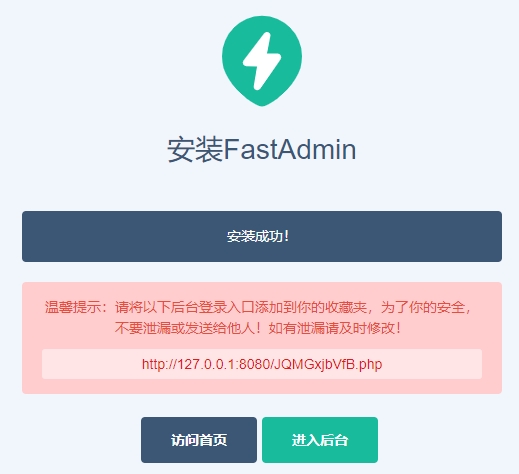
2.3. 安装成功 修改完后不用刷新页面,直接点击安装。安装成功!
3. 结尾 简单的用了一下,暂时还没发现别的问题。稳定性待测。
FastAdmin 支持 php7.4 教程完毕
Violet_ice紫冰 写于 2020-12-1 21:12:26
4. 番外 写的时候发现了一个小bug。重复安装完成后,由于 $adminName 为空字符串。所以点进入后台是跳到前台的。
文件application/admin/command/Install.php
1 2 3 4 5 6 7 8 9 10 11 12 13 14 15 16 17 18 19 20 21 22 $adminFile = ROOT_PATH . 'public' . DS . 'admin.php' ;if (!is_file ($adminFile )) {$files = glob ('*.php' );foreach ($files as $file ) {if (preg_match ('/^[a-zA-Z]{10}\.php$/' , $file , $flag )) {$adminFile = ROOT_PATH . 'public' . DS . $flag [0 ];break ;unset ($files ); $adminName = '' ;if (is_file ($adminFile )) {$adminName = Random ::alpha (10 ) . '.php' ;rename ($adminFile , ROOT_PATH . 'public' . DS . $adminName );